How to Change Your LinkedIn Profile URL
Oct 01, 2026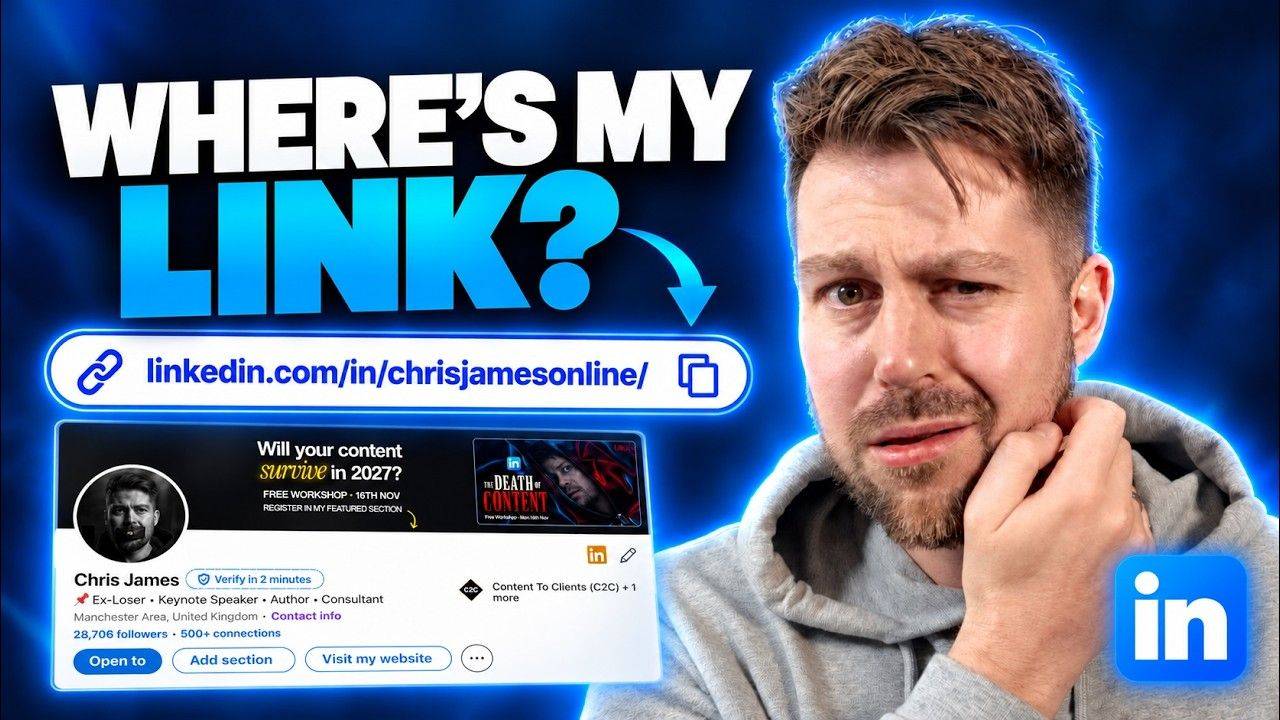
 LinkedIn Basics: Profile URL (step by step)
How to change your LinkedIn profile URL
If yours still ends in a random string of numbers, it's dead easy to fix.
Here's where to find it + how to change it...
Change it in 4 steps
- Click your photoTop of any page on LinkedIn, then View profile
- Click the pencilNext to "Public profile & URL"
- Edit your custom URLIn the new tab that opens
- Type + save3 to 100 letters or numbers
Where your URL lives
Wherever you are on LinkedIn, click your profile picture (the picture of your face, hopefully) and then click "View profile".
Your profile URL is the link that loads. The bit after linkedin.com/in/ is the part you can change.
If you've never touched it, it'll end in a random string of numbers. Dead easy to fix.
How to edit it
Go to your profile and click the little pencil icon where it says "Public profile & URL".
That opens a brand new tab. Up at the top, where it says "Edit your custom URL", click it and type in what you want.
It has to be between 3 and 100 letters or numbers. You can't have spaces and all that kind of stuff, but other than that you can change it to whatever you want.
Match your other socials
My advice is to keep the end of your URL the same as your handle on your other social platforms.
Mine is chrisjamesonline. That's the exact same handle I've got on Instagram + YouTube.
So wherever someone finds you, they can find you everywhere else without having to guess.


LinkedIn URL FAQs
How do I find my LinkedIn profile URL?
Click your profile picture at the top of any page on LinkedIn, then click "View profile". The link that loads is your profile URL.
How do I change my LinkedIn URL?
On your profile, click the pencil icon next to "Public profile & URL". A new tab opens. Click "Edit your custom URL" at the top, type your new one + save.
What can I use in a custom LinkedIn URL?
Between 3 and 100 letters or numbers, with no spaces.
What should my LinkedIn URL be?
Ideally the same handle you use on your other social platforms, so people can find you everywhere without guessing. Mine is chrisjamesonline across LinkedIn, Instagram + YouTube.
URL sorted. Now get paid for it.
My free training breaks down the 4 systems you need to win clients on LinkedIn without sending cold DMs or having to go viral.
It'll show you exactly what's stopping you making more right now + what to fix first.
Lorem ipsum dolor sit amet, consectetur adipiscing elit. Cras sed sapien quam. Sed dapibus est id enim facilisis, at posuere turpis adipiscing. Quisque sit amet dui dui.
Stay connected with news and updates!
Join our mailing list to receive the latest news and updates from our team.
Don't worry, your information will not be shared.
We hate SPAM. We will never sell your information, for any reason.